
SMS Terms and Conditions
Talk Therapy OC Staff Arrival Alerts
Theracare Psychology and Wellness, Inc. (DBA Talk Therapy)
Last updated: September 14, 2026
Program name
Talk Therapy OC Staff Arrival Alerts.
Program description
This is an internal, staff-only text message program. When a patient arrives at a Talk Therapy office and checks in at the waiting-room tablet, the clinician that patient is scheduled to see receives one automated text message letting them know their patient has arrived.
Messages contain only the patient's initials, the arrival time, and the office name. No patient names, phone numbers, or clinical information are ever sent.
This program is not available to patients or to the general public. Only employees and contracted clinicians of Theracare Psychology and Wellness, Inc. who have opted in themselves can receive these messages.
How staff opt in
Each clinician opts in themselves, inside our password-protected staff portal.
Step 1. The clinician signs in to the staff portal at portal.talktherapyoc.com with their own account.
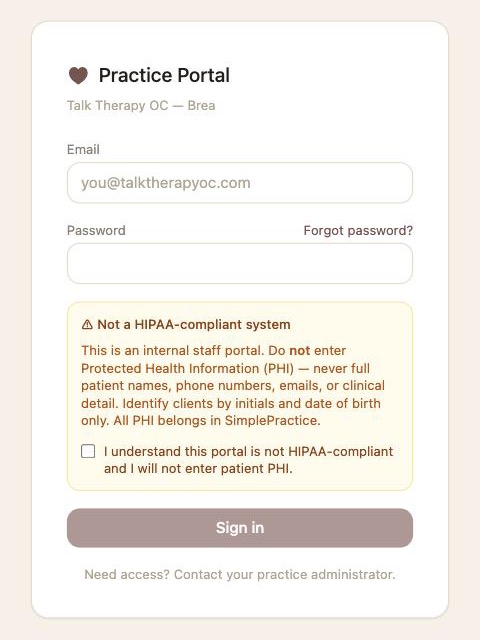
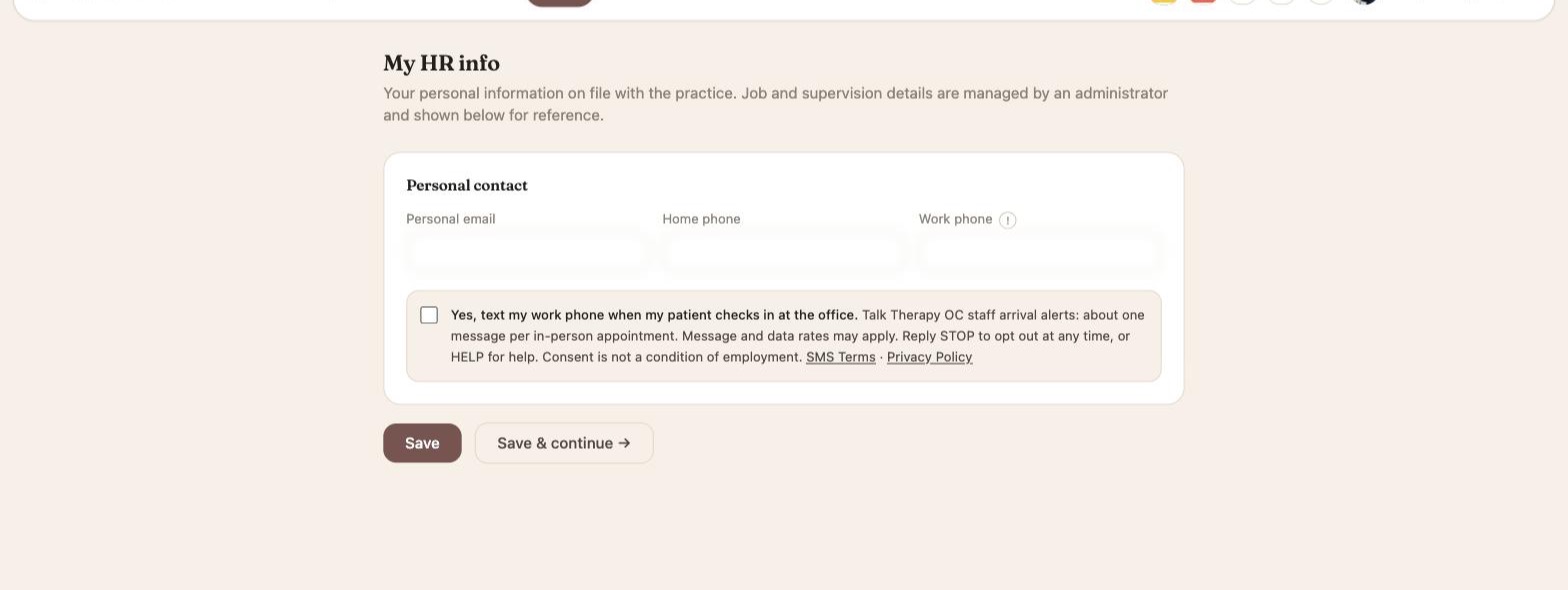
Step 2. They open My HR Info. Under Personal contact is a checkbox with the full disclosure beside it. The box is unchecked by default and is never pre-selected.
Step 3. They tick the box and click Save. We record the date, the time, and the exact wording they agreed to.
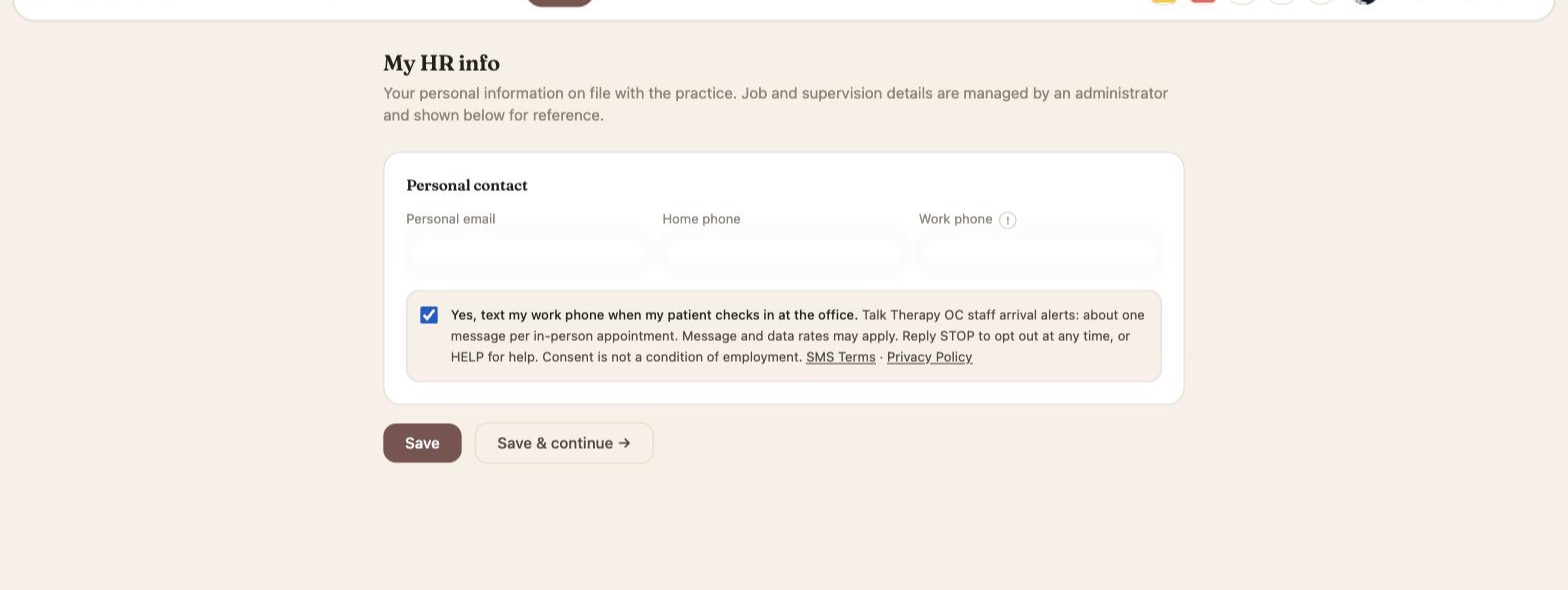
The checkbox reads: “Yes, text my work phone when my patient checks in at the office. Talk Therapy OC staff arrival alerts: about one message per in-person appointment. Message and data rates may apply. Reply STOP to opt out at any time, or HELP for help. Consent is not a condition of employment.” It links to these SMS Terms and to our Privacy Policy.
An administrator can assign a clinician's work phone number but cannot opt anyone in. No text is ever sent to a clinician who has not ticked the box. Consent is not a condition of employment.
The screenshots above are of the live staff portal, with personal fields blurred. The same steps are also shown at portal.talktherapyoc.com/sms-consent.
Sample message
Talk Therapy OC: JM is here - checked in at 2:14 PM (Brea). Reply STOP to opt out.
Message frequency
About one message per in-person appointment. A clinician typically receives a few messages on a day they are seeing patients in the office, and none on other days.
Message and data rates
Message and data rates may apply. Talk Therapy does not charge for these messages, but your mobile carrier's standard messaging and data charges apply according to your plan.
How to stop receiving messages
Reply STOP to any message to be removed from this program immediately. You will receive one confirmation message and then no further messages. You can also opt out at any time by unticking the check-in text box in My HR Info.
To opt back in after replying STOP, reply START.
How to get help
Reply HELP to any message for assistance, call (909) 491-4289, or email info@talktherapyoc.com.
Support contact
Theracare Psychology and Wellness, Inc. (DBA Talk Therapy)
Phone: (909) 491-4289
Email: info@talktherapyoc.com
Website: www.talktherapyoc.com
Carriers
Mobile carriers are not liable for delayed or undelivered messages.
Privacy
Your mobile number and consent are used only to send the operational notifications described above. We do not share, sell, or provide mobile phone numbers or messaging consent data to third parties or affiliates for marketing or promotional purposes. See our Privacy Policy.